ABOUT US
Sphinx is a leading local provider of system firmware and software engineering services for companies in the mobile, desktop, server, and embedded systems industries.
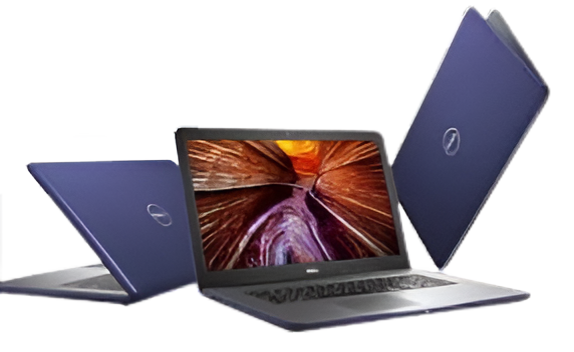
Sphinx is a leading local provider of system firmware and software engineering services for companies in the mobile, desktop, server, and embedded systems industries.
Sphinx offers reliable, professional, and affordable services.
Below are some examples for services
We fix all makes and models of desktops and laptops, whether it’s a cracked screen, slow performance, or virus infection.
From network design to cloud solutions, we support small to medium-sized businesses with cost-effective and secure IT.
Need more speed? We provide RAM, SSD, and GPU upgrades. We also build powerful gaming and office PCs.
Complete setup for homes and offices – UniFi access points, routers, and firewalls. Secure and fast.
Can’t come to us? No problem. We’ll come to your location and help you with your issues on the spot.
We will come to your company on an hourly based visit to help you resolve your Business It related issues.
provide PC Power Boost help to tune up PCs and speed up computer performance.
Sphinx Computer Inc. helps with troubleshooting a wide variety of systematic errors.We diagnose, run processes and recommend the most cost effective solution
Remote Support Services allows our local, experienced technicians to provide you with immediate and convenient service.
Got a virus or malware? Let our experts remove it for you remotely. Quick, convenient and available all week. And if we can’t fix it – you get your money back.
Having a network requires regular network maintenance! … running a computer network, and this field is expertly covered by our computer networking service.
We now offer residential services, working around your schedule to provide you with optimal convenience.

Who We Are
services for companies in the mobile, desktop, server, and embedded systems industries. Yes, we are proud to have more than 15,000 customers till now and growing.
Our mission is rather simple; sphinxus is committed to helping its customers bring their products fixed while reducing overall system development costs.
We built our reputation on providing superior firmware technology, innovative software solutions and second-to-none engineering and project management support services.
But who are we really?
who think and act as an extension to our customer’s product development teams. A team of people that aren’t afraid to get creative when it comes to finding a flexible business model or roll up our sleeves when it comes to debugging that important new product being readied for the production line.
If you haven’t already had an opportunity to work with sphinxus, we encourage you to ask someone who has.
Setting up a wireless router involves connecting it to a modem and powering it on. Access the router settings through a web browser using its IP address. Log in using the default credentials provided on the router. Set a network name (SSID) and secure it with a strong Wi-Fi password.
A computer can get infected with a virus or other malicious software through several common methods. These include downloading infected files or software from untrusted websites, opening email attachments or links from unknown or suspicious senders, using infected USB drives, clicking on malicious ads (malvertising), or visiting compromised websites. Once inside, the malware can steal data, damage files, or allow remote control of the system.
To reset your wireless router, locate the small Reset button on the back of the device. Use a pointed object (like a paperclip) to press and hold the button for about 10 seconds until the router's lights blink or turn off and on. This will restore the router to its factory default settings. After resetting, you’ll need to reconfigure your Wi-Fi name, password, and other settings through the router’s web interface.
To make Windows forget a network connection password, follow these steps: Open Settings → go to Network & Internet. Click Wi-Fi on the left panel, then choose Manage known networks. Find the network you want to forget, click it, then select Forget. The next time you connect, Windows will ask for the password again.
To connect your laptop to a router, turn on Wi-Fi and select the network name (SSID). Enter the correct password to connect wirelessly. Alternatively, use an Ethernet cable for a wired connection. Plug it into the router’s LAN port and your laptop’s Ethernet port.
To test your internet speed, open a web browser and go to a trusted speed test website like Speedtest.net. Click the “Go” or “Start” button to begin the test. Wait a few seconds as the site measures your download and upload speeds. Review the results to see your internet connection’s performance.
Malware is malicious software designed to harm, exploit, or damage your computer or data. You can get infected by downloading infected files, clicking on suspicious links, opening unsafe email attachments, visiting compromised websites, or using infected USB drives. Once inside, malware can steal information, damage files, or take control of your device.
Happy Clients
Years in Business
residential service
Data Recovered

Founded in Lombard then moved to Villa Park, Sphinx Computer is committed to providing high-quality, affordable IT services. With years of experience and a passion for technology, we serve both individuals and businesses with integrity, skill, and personalized care.
Emergency response time is one hour or less guaranteed. A live person will answer your call, or you can enter a service ticket yourself online with our streamlined service ticket system. We can log in to your PC or server remotely and resolve many issues immediately without the wait for a technician to travel to your location.
Sphinxus has been around since 2005, a respected leader in the community and the industry. Our proudest accomplishment is the large number of long term clients who year after year put their trust in us.
We hire only seasoned, professional technicians with at least 5-10 years experience and usually many more. We provide our technicians with continuing education opportunities on a regular basis to allow them to stay current with the latest technology.
You deserve to have your questions answered in plain English. Our technicians will clearly explain what is happening so you understand.
We want you to be completely satisfied with our services. We will do whatever it takes to make you happy. No hassles, no problems.
We take care of ALL of your IT needs. We handle everything from hardware, software applications, complete IT Managements, ISP, vendor relationships, website hosting, VOIP Business phones and whatever left needed to tend to your IT infrastructure.